How to Connect Your WordPress Website
Connect WordPress with the official SEOLinkDepot connector and a dedicated Application Password.
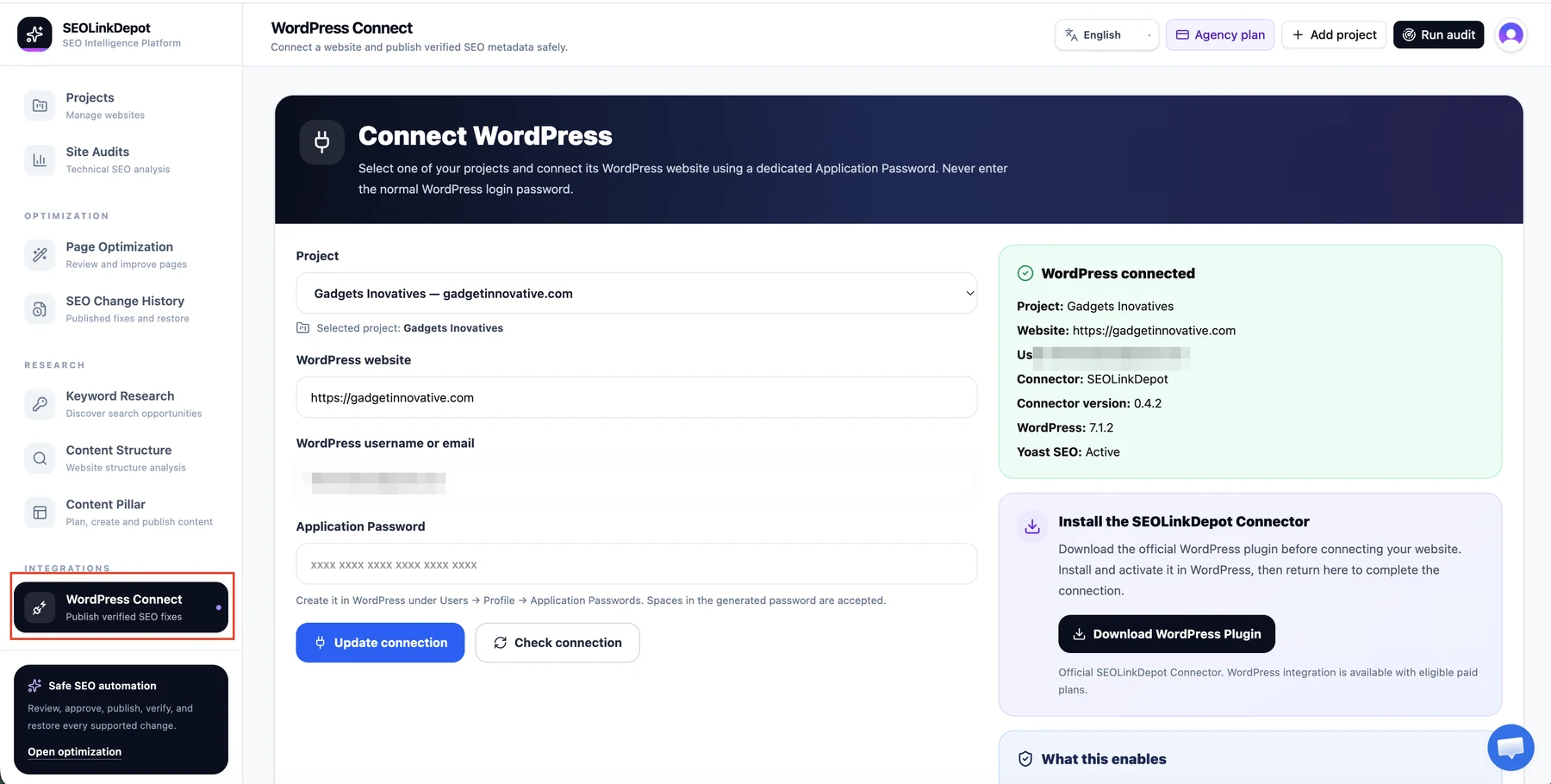
Open WordPress Connect
Choose WordPress Connect from Integrations. Select the correct project and confirm the WordPress website address.
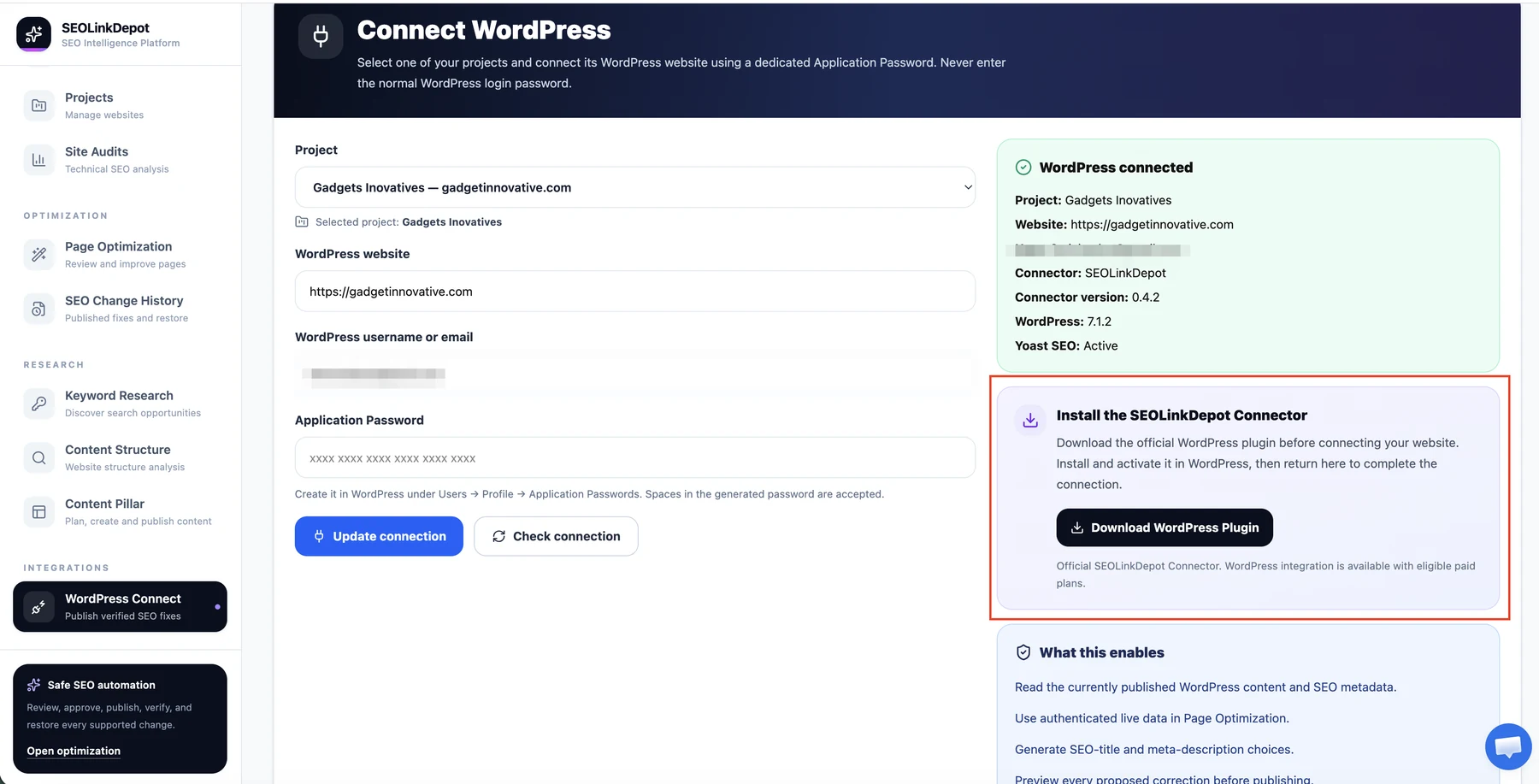
Install the SEOLinkDepot Connector
Use Download WordPress Plugin, install and activate the connector in WordPress, and create a dedicated WordPress Application Password for the account used by the connection.
Verify the connection
Return to SEOLinkDepot, enter the WordPress username or email and the dedicated Application Password, then use Check connection. A successful connection shows the project, site, connector version, WordPress version, and detected SEO plugin status.
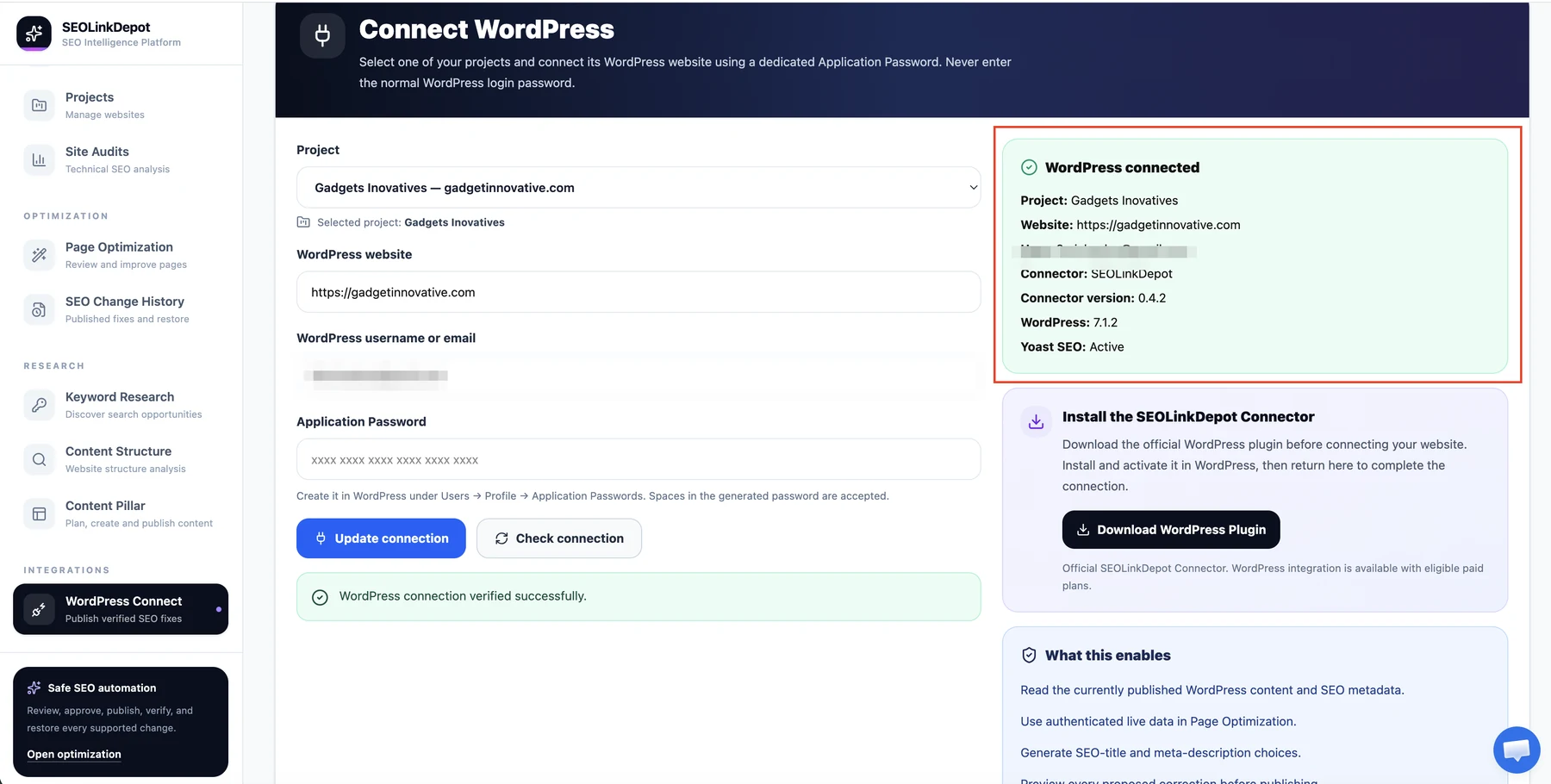
Security: the WordPress account email in these screenshots has been redacted. Never share an Application Password in screenshots, support tickets, or public documentation.