How to Build Your Website Content Structure
Build and review the website architecture search engines, users, and AI systems expect.
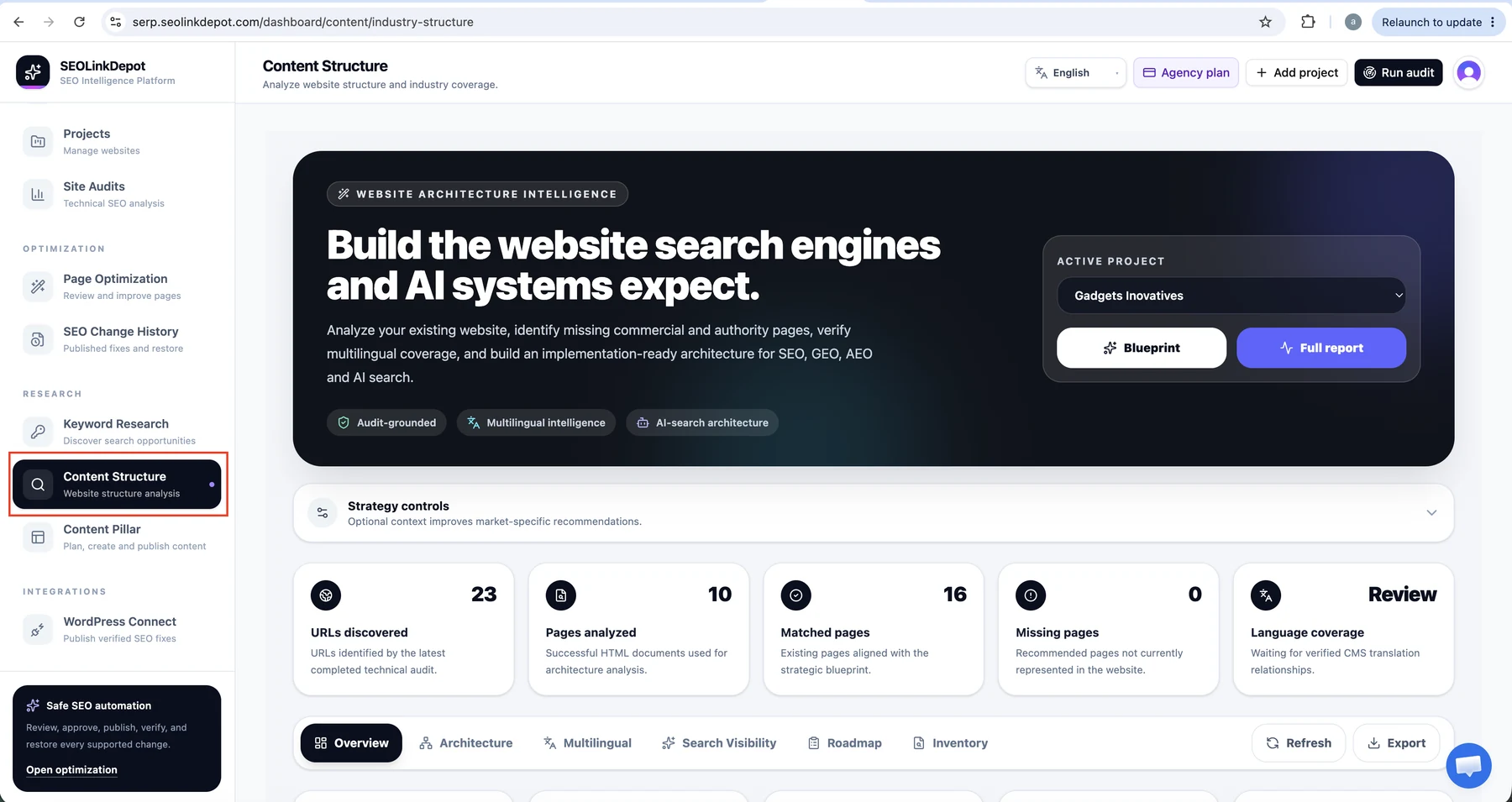
Open Content Structure
Choose Content Structure from the navigation to open the Website Architecture Intelligence workspace.
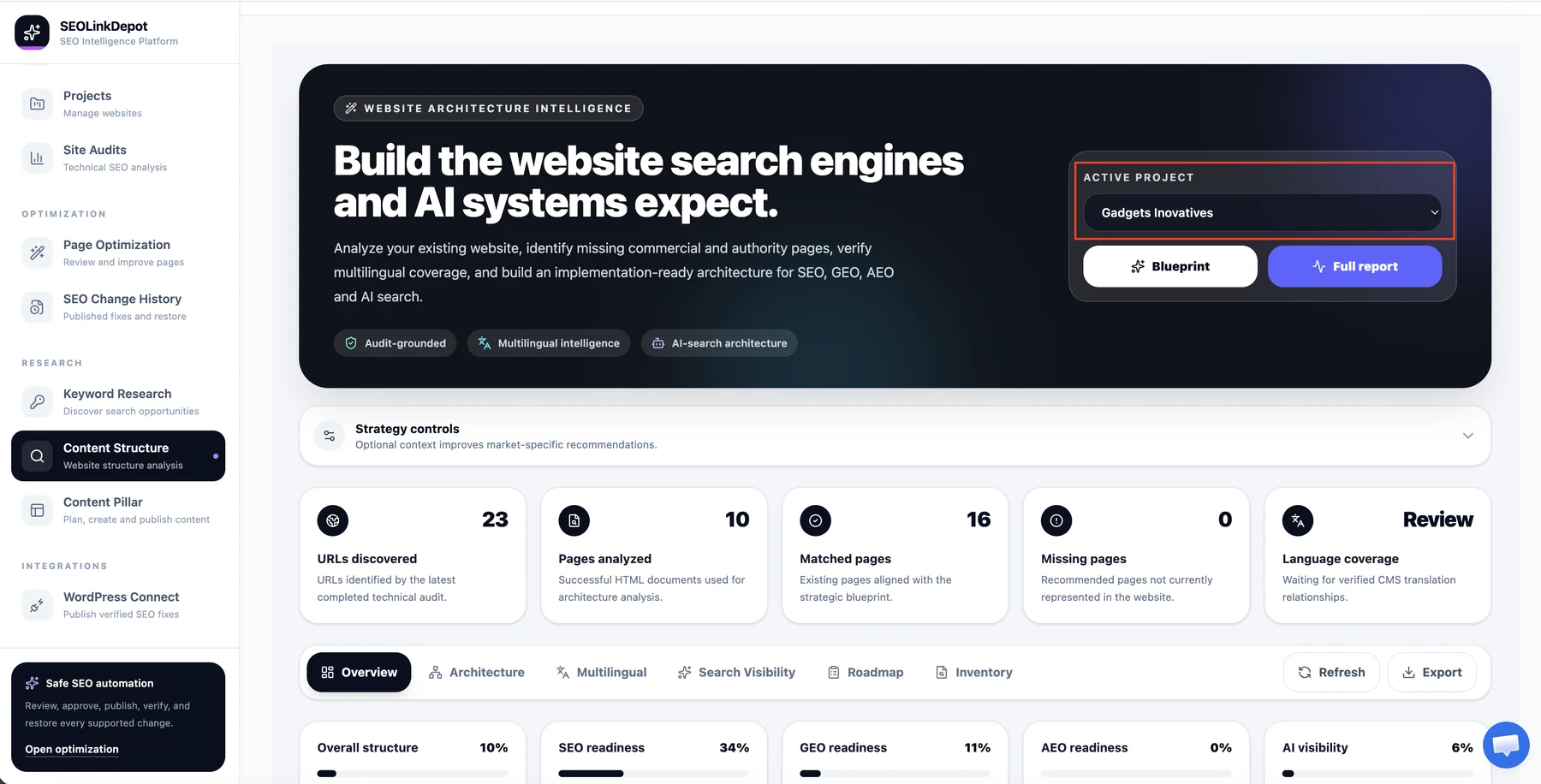
Select the active project
Choose the website you want to analyse from the Active Project selector.
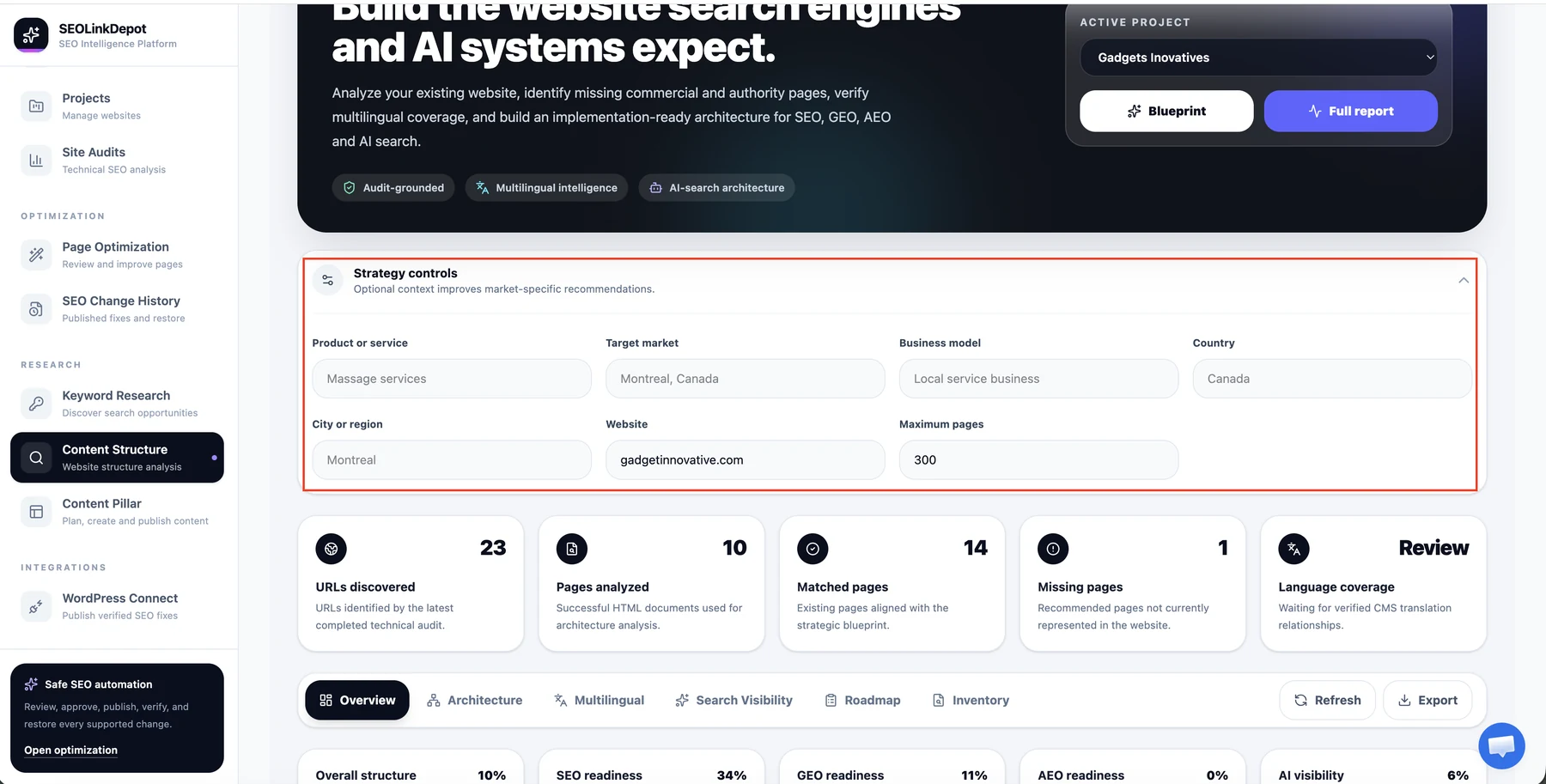
Review the strategy controls
Confirm the business context used for the analysis, including product or service, target market, business model, country or region, website, and maximum pages.
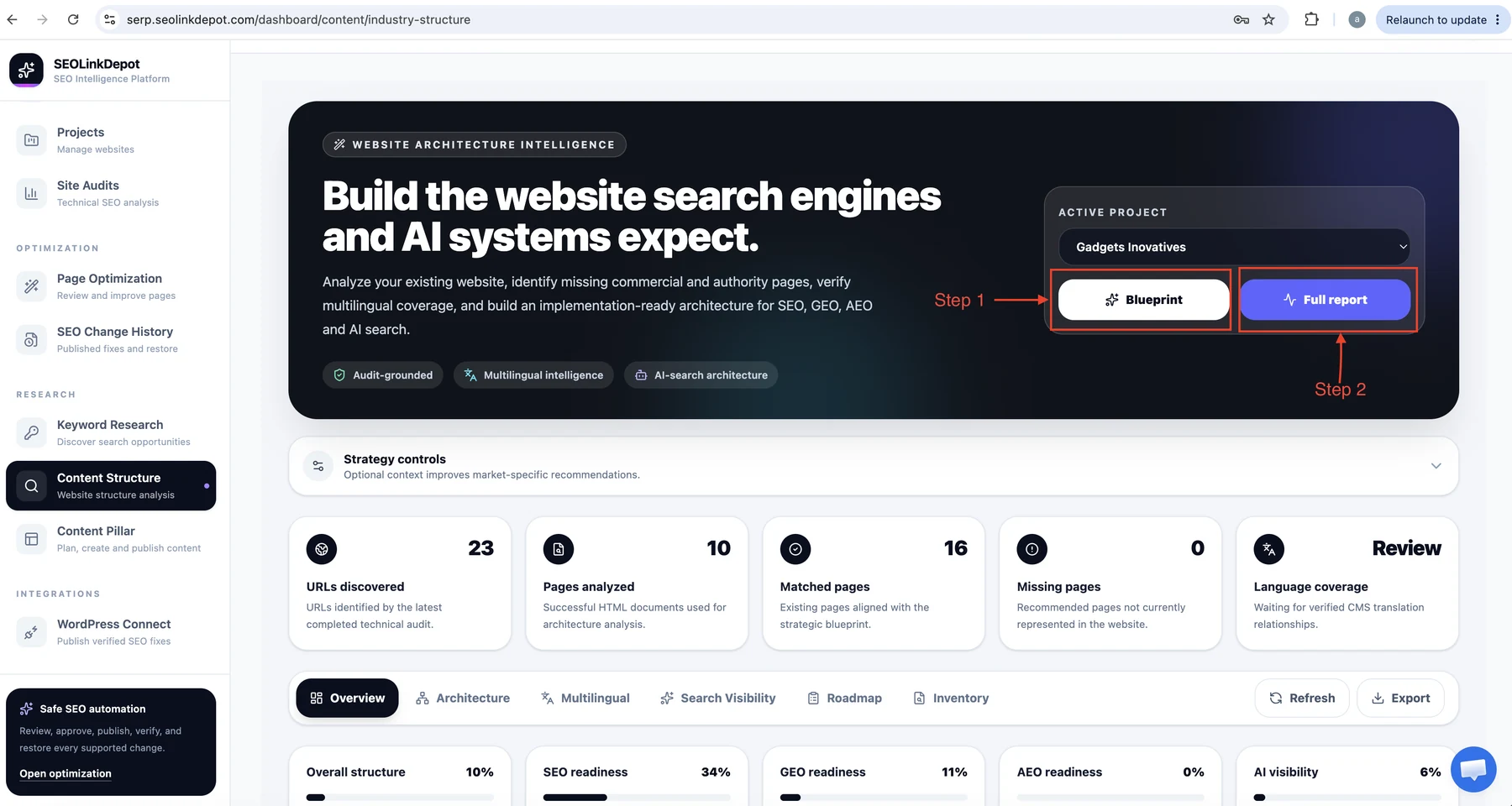
Run the architecture analysis
Use Blueprint for the architecture plan or Full report for the complete structure analysis and implementation view.
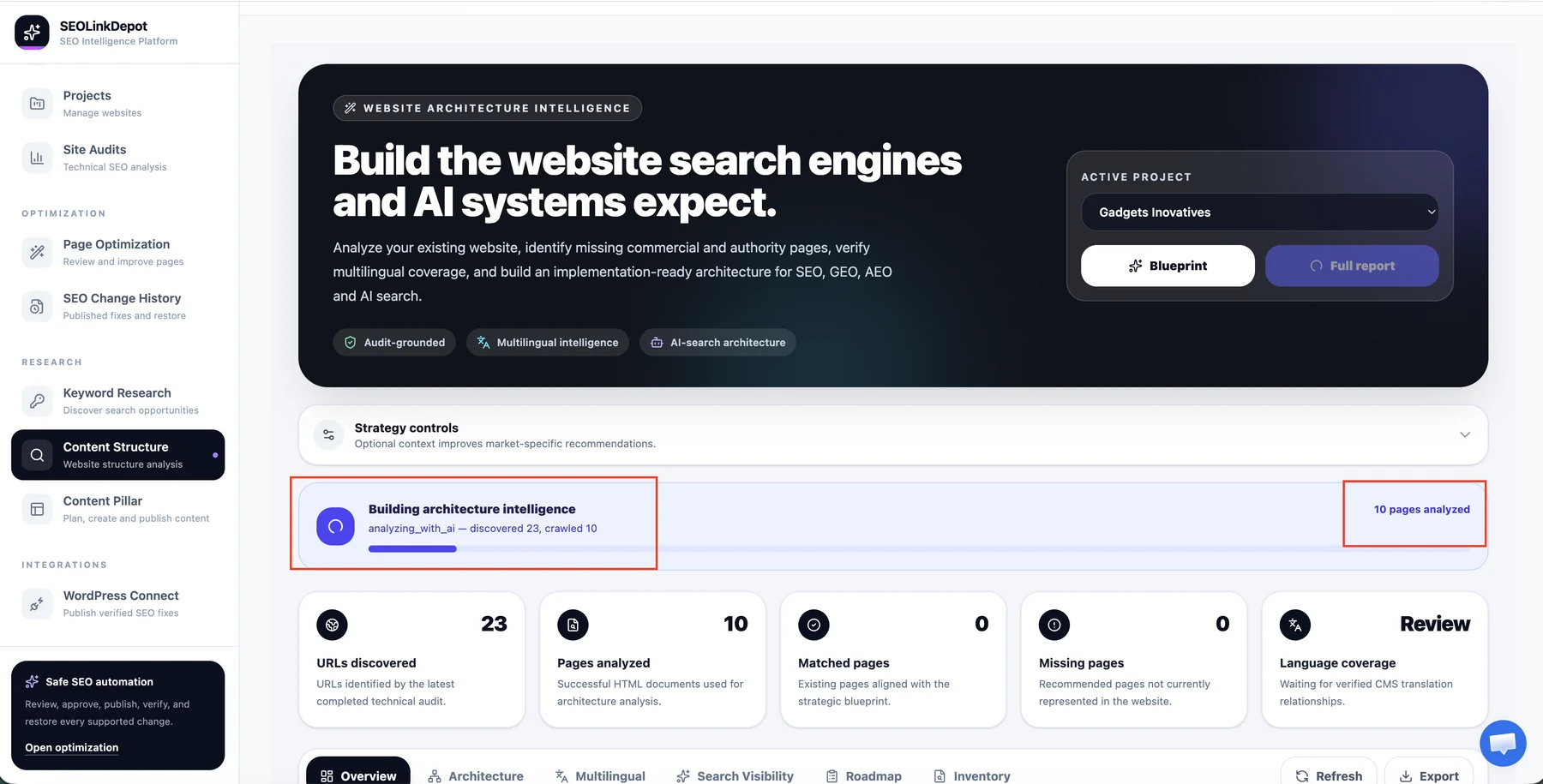
Wait for architecture intelligence
SEOLinkDepot analyses the website and builds the architecture report. The progress panel shows when the analysis is running.
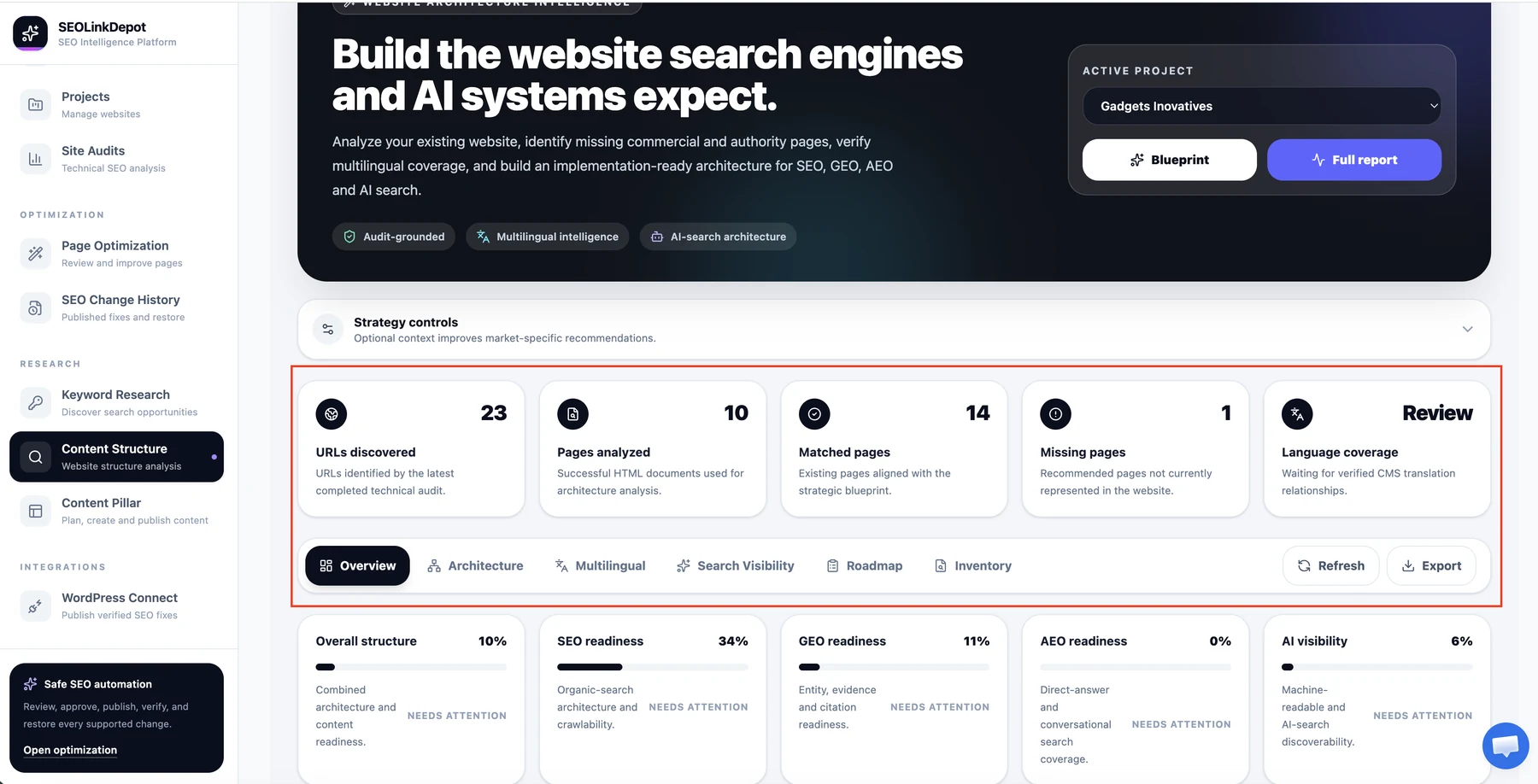
Review the report overview
Review discovered URLs, analysed pages, matched pages, missing pages, language coverage, and the main readiness indicators.
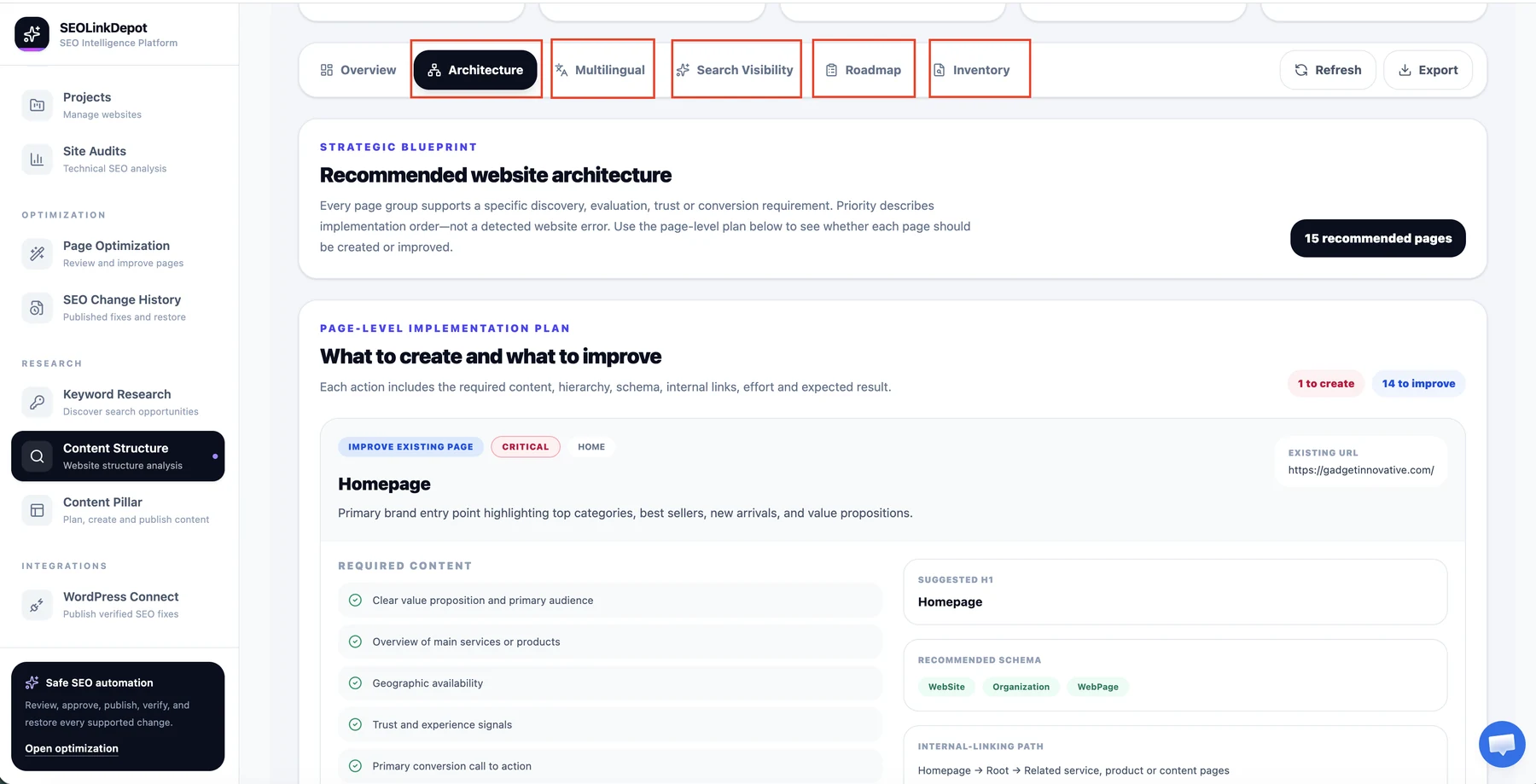
Explore each report area
Use Architecture, Multilingual, Search Visibility, Roadmap, and Inventory to move through the report.
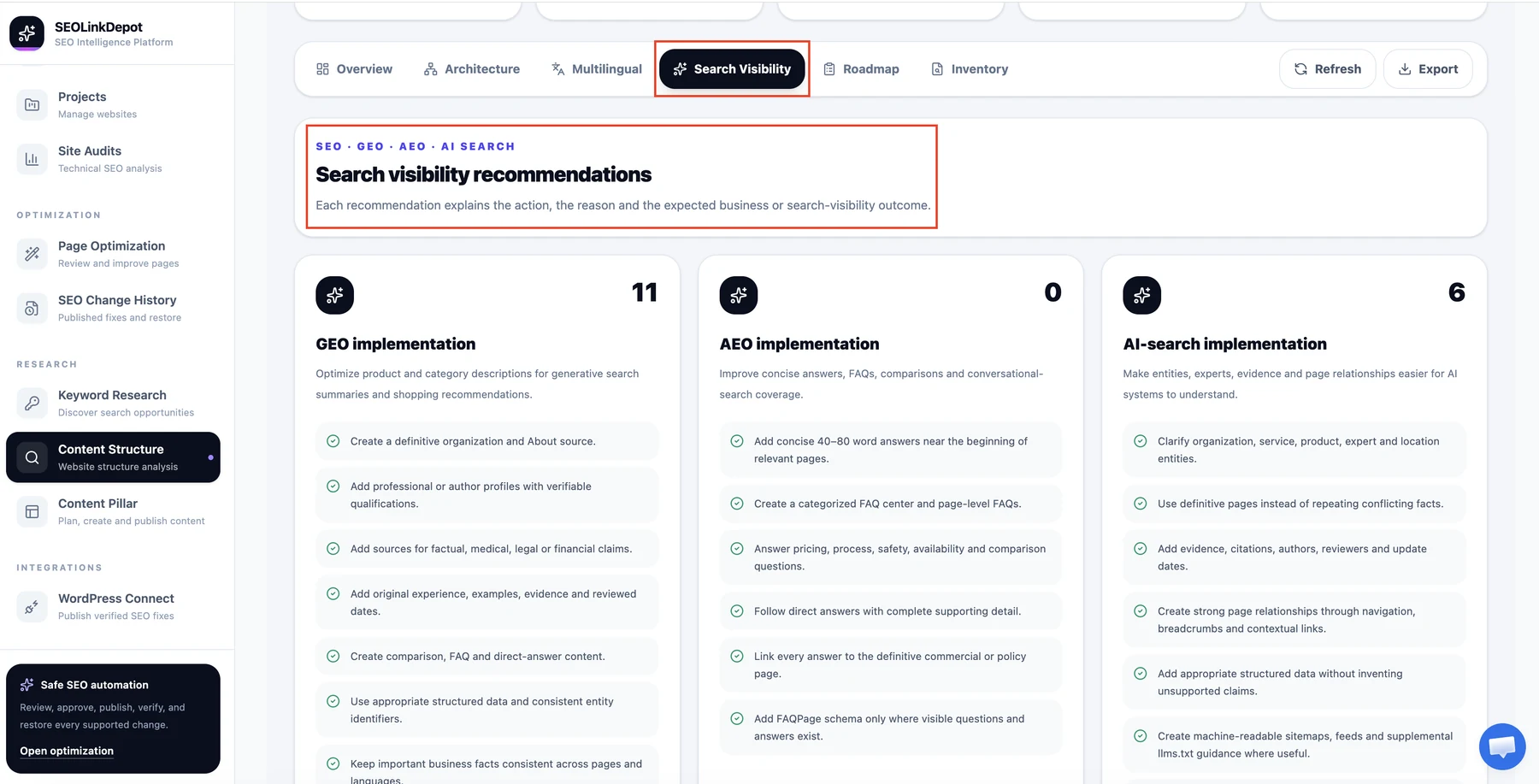
Review search visibility recommendations
Use Search Visibility to review SEO, GEO, AEO, and AI-search recommendations that can strengthen discoverability.
Use the report as an implementation plan. Prioritize important commercial pages and structural gaps before adding low-priority content.