How to Run a Site Audit in SEOLinkDepot
Run a complete technical and on-page SEO audit and turn findings into clear next steps.
Open Site Audits
Choose Site Audits from the left navigation. This opens the Professional Site Audit workspace.
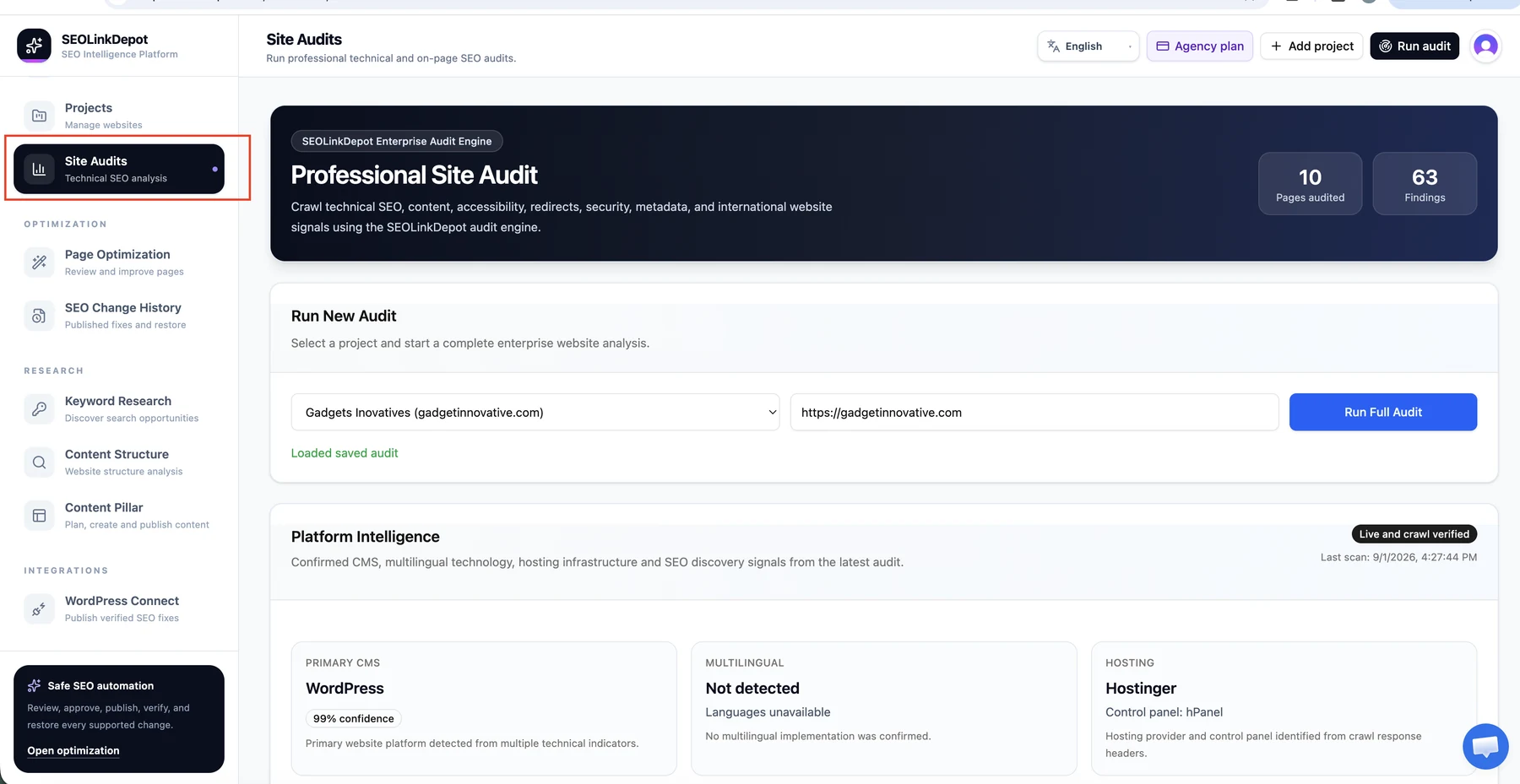
Select the website project
Choose the project you want to audit. SEOLinkDepot loads the website URL associated with that project.
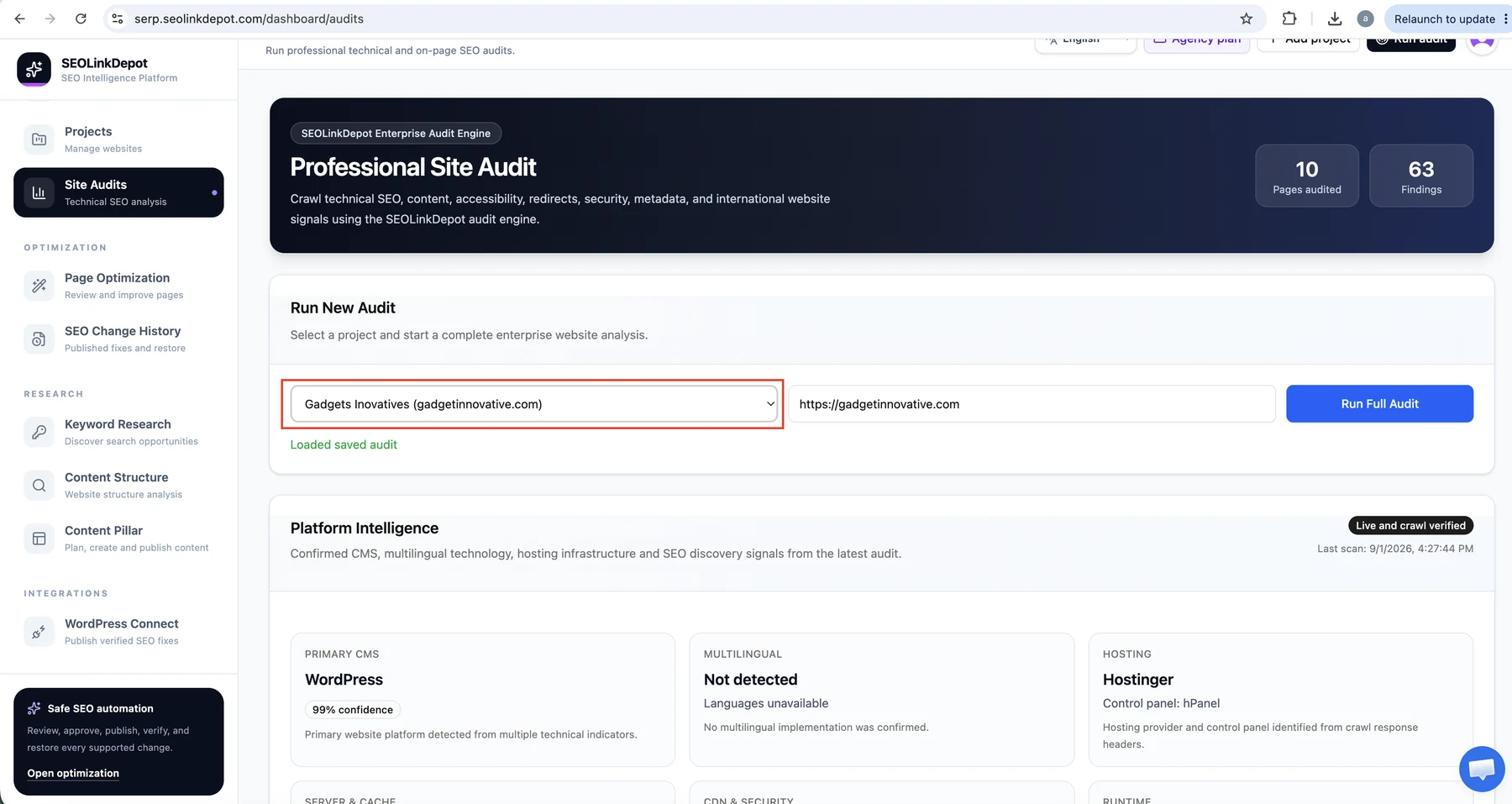
Start the full audit
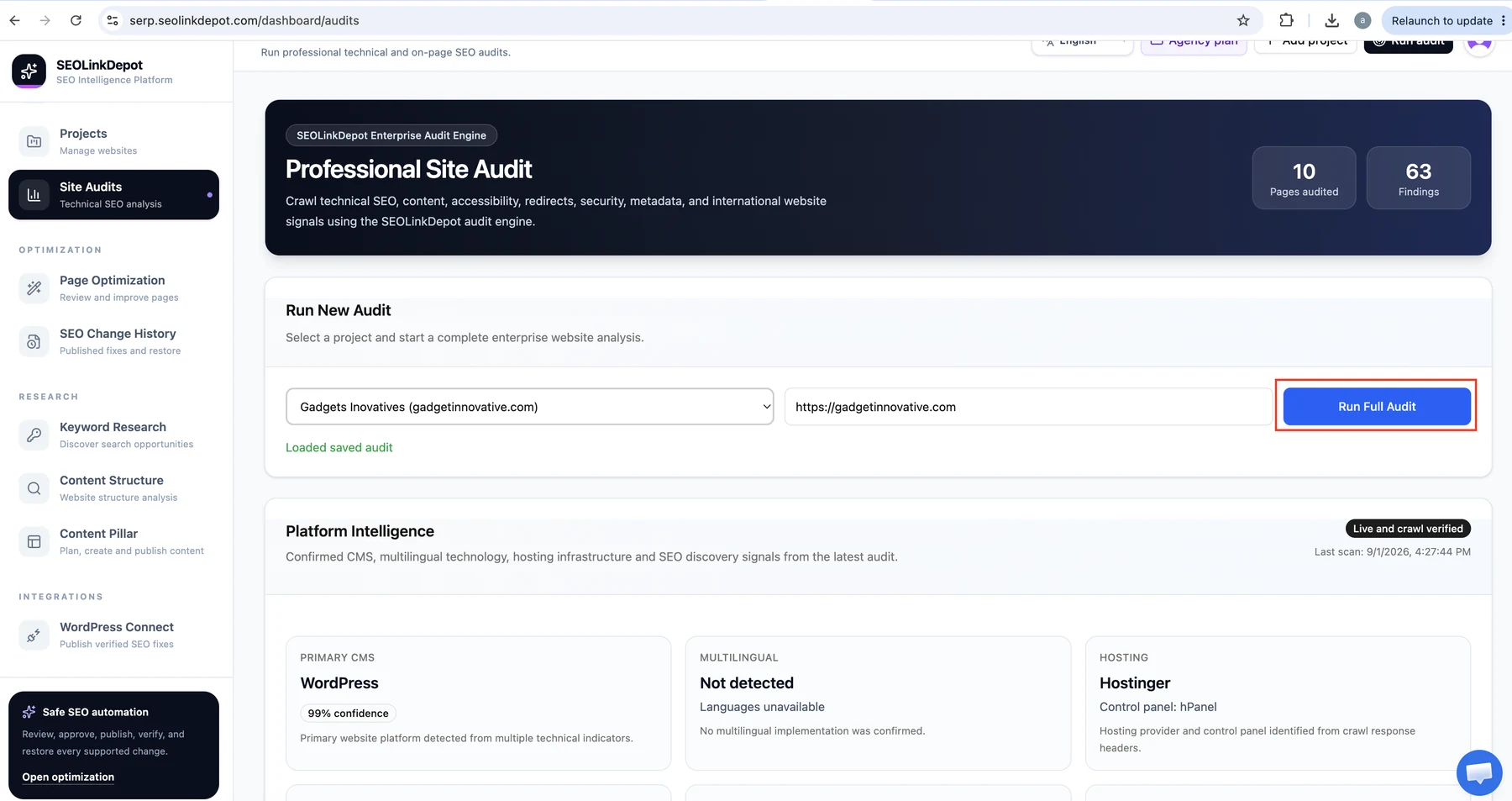
Click Run Full Audit. The audit engine begins crawling and analysing the selected website.
Monitor crawl progress
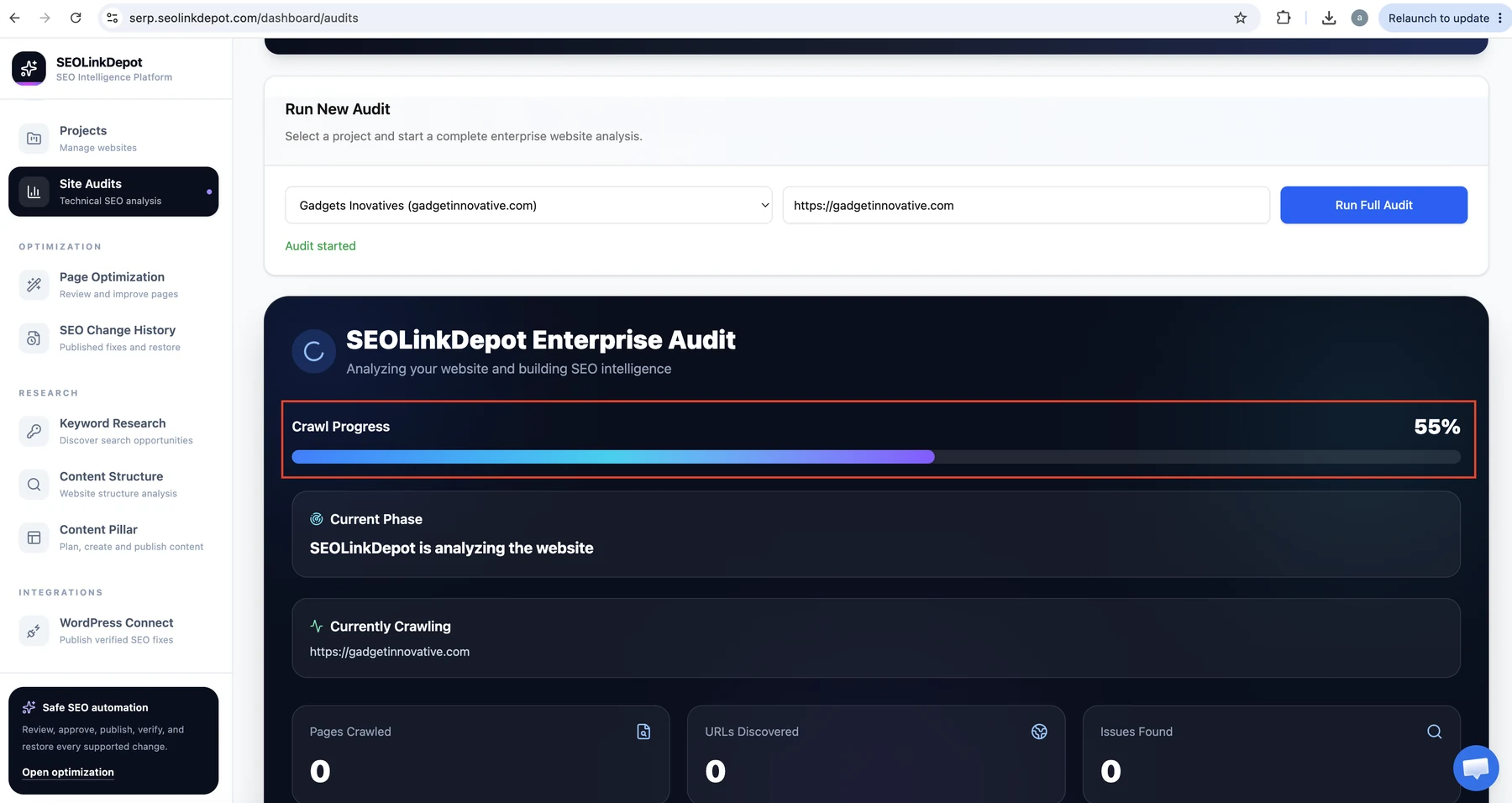
Keep this page open while the audit runs. The progress panel shows the current phase, crawl progress, URLs discovered, pages crawled, and findings as they are detected.
Review the completed audit
When the audit finishes, review the SEO health score, pages crawled, findings, language detection, crawl coverage, strengths, and priority roadmap.
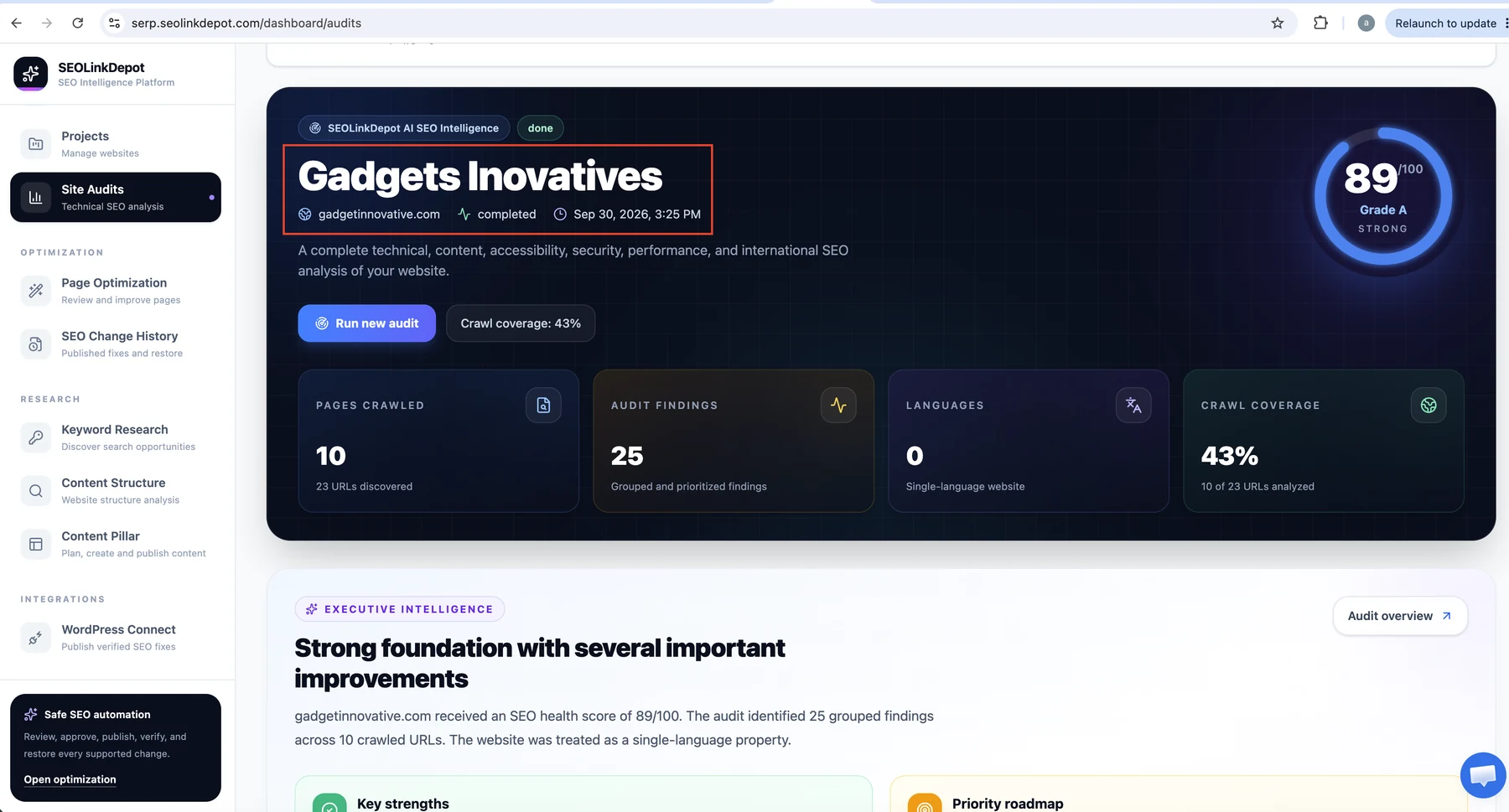
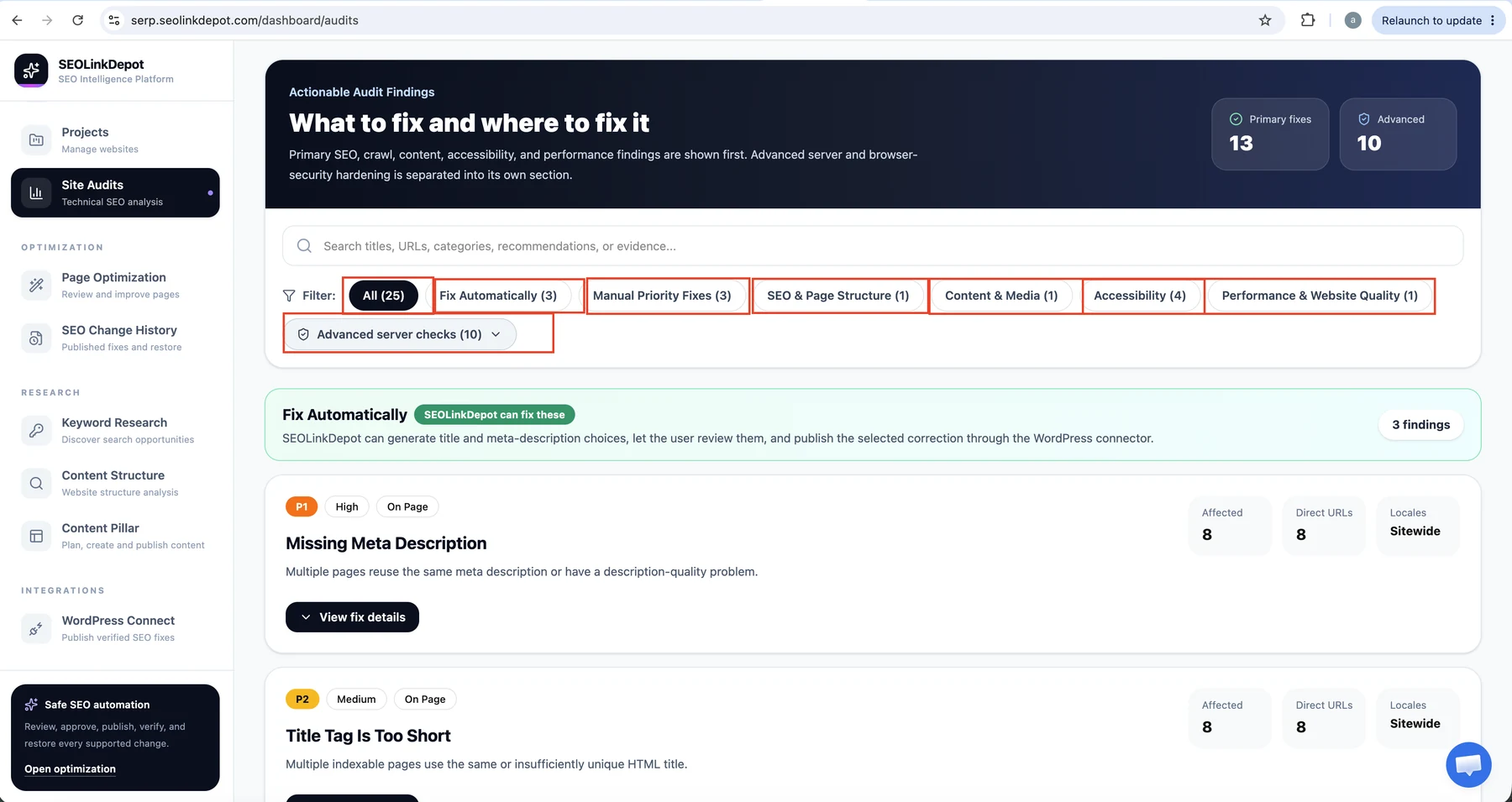
Filter findings by category
Use the finding filters to focus on automatic fixes, manual priority fixes, page structure, content and media, accessibility, performance, or advanced server checks.
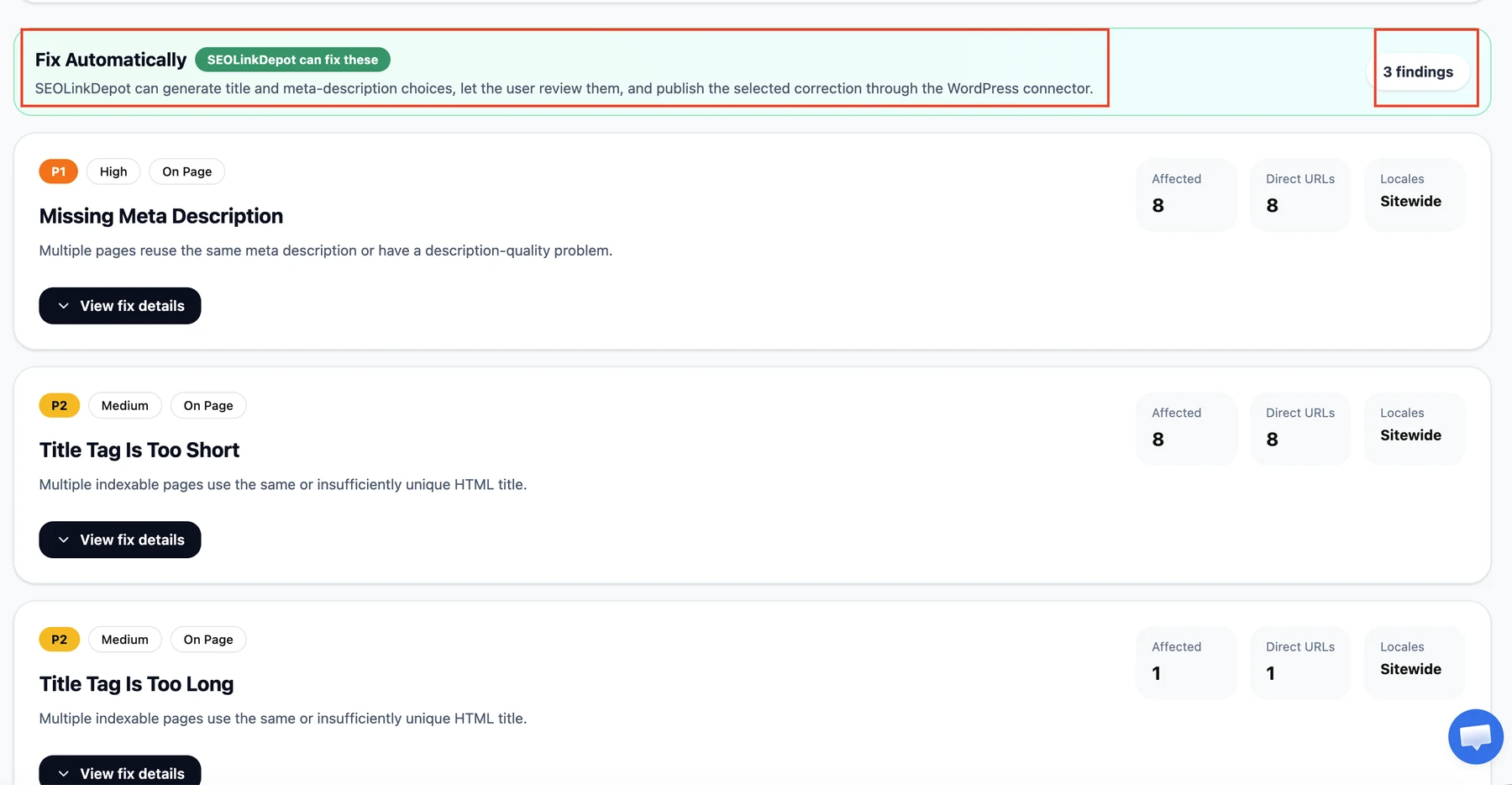
Review issues SEOLinkDepot can help fix
The Fix Automatically group highlights supported findings such as missing meta descriptions or title problems that can move into Page Optimization.
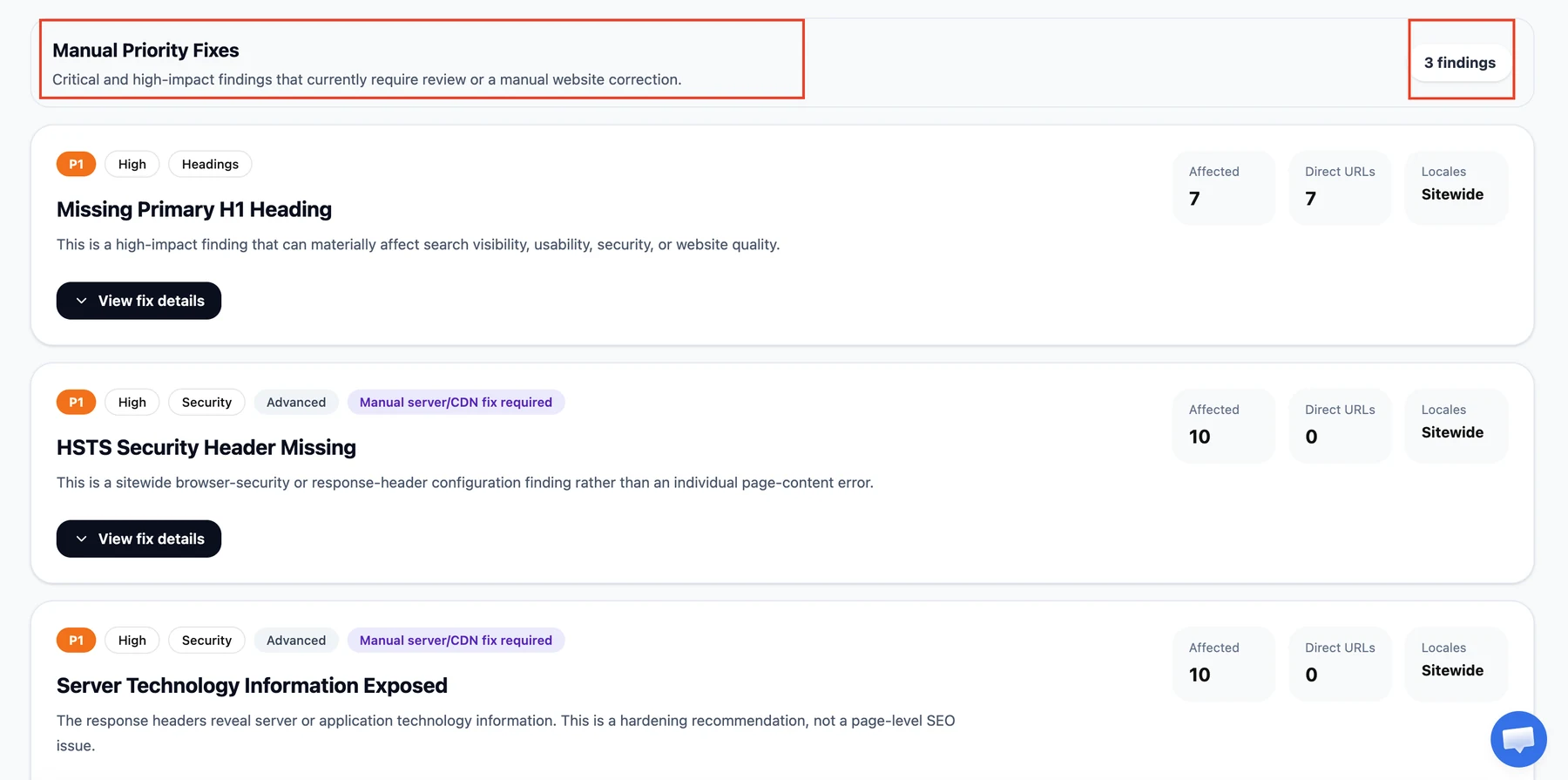
Review manual priority fixes
Some findings require a person, developer, theme change, hosting change, or server configuration. Open each item to see the affected URLs and evidence.
Start with the highest-priority findings, then move supported page-level problems into Page Optimization.